Free and higher
Watch Options and File Patterns
Control which files are watched and how notifications appear.
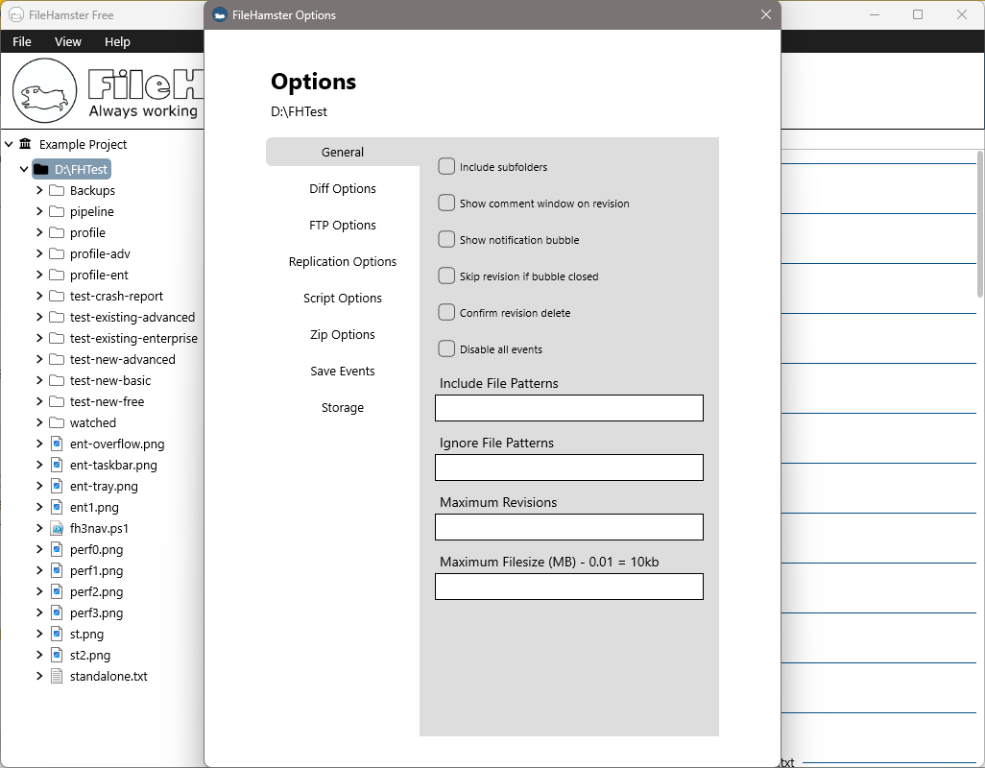
How to
- Right-click a library, watch, folder, or file and choose Options.
- Under General, adjust Include File Patterns, Ignore File Patterns, Include subfolders, and Maximum Filesize as needed.
- Choose notification and confirmation settings for this scope, then close the Options window.
- Settings inherit from the library through the watch and folders to the file. Use Reset options to parent to remove local overrides.
