Advanced and higher
Script Triggers
Run a configured script when watched files are saved.
How to
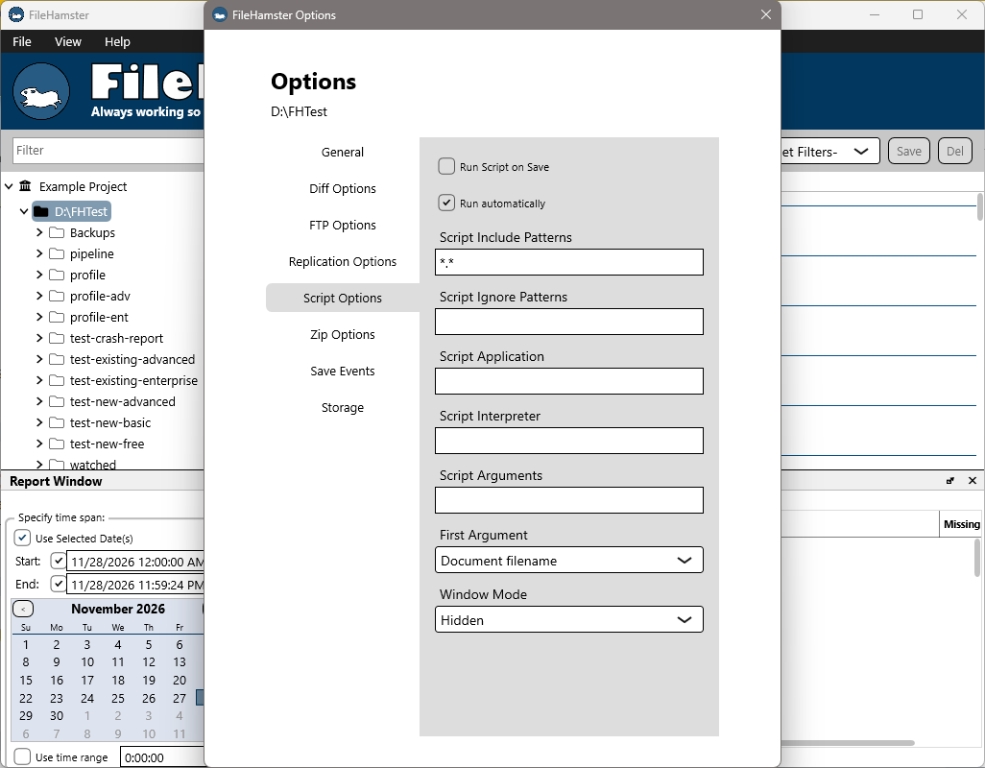
- Open Options > Script Options for the relevant watch, folder, or file.
- Enable Run Script on Save and Run automatically, then select a script application and, if needed, an interpreter.
- Configure arguments and include or ignore patterns for the files you want to process.
- Save the options, test with a sample document, and review the Script Console or Log.
