Advanced and higher
FTP Uploads
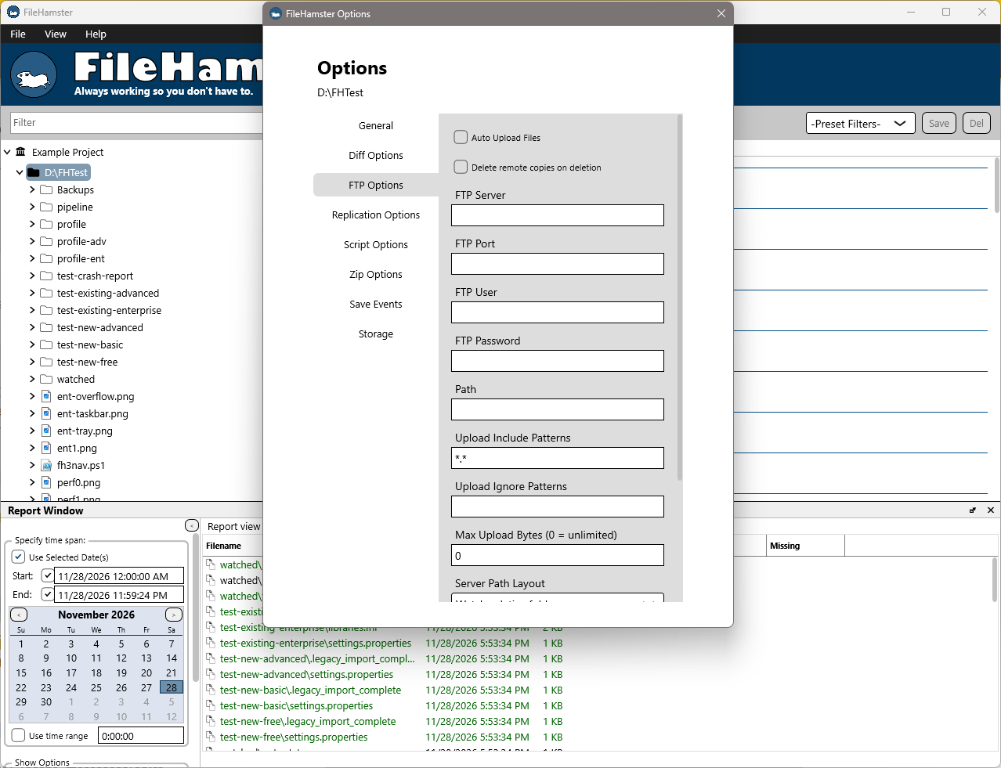
Send documents or captured revisions to an FTP server.
How to
- Open Options > FTP Options for the relevant watch or scope.
- Enter the server, port, user, password, and destination path.
- Choose whether to upload documents or revisions, set any filters, and enable automatic uploads if wanted.
- Save the options and test a revision or use Send to FTP. Check the Log for transfer results.
Note: This feature uses plain FTP, not SFTP or FTPS.
